
What Is LinkedIn Recruiter?Lite vs Recruiter, Costs and How to Use It
A practical guide to LinkedIn Recruiter for companies doing direct recruiting. Comparison between Recruiter Corporate and Recruiter Lite features, costs, and how to use LinkedIn to attract talent in Japan.

Basics
What is LinkedIn Recruiter?
In short
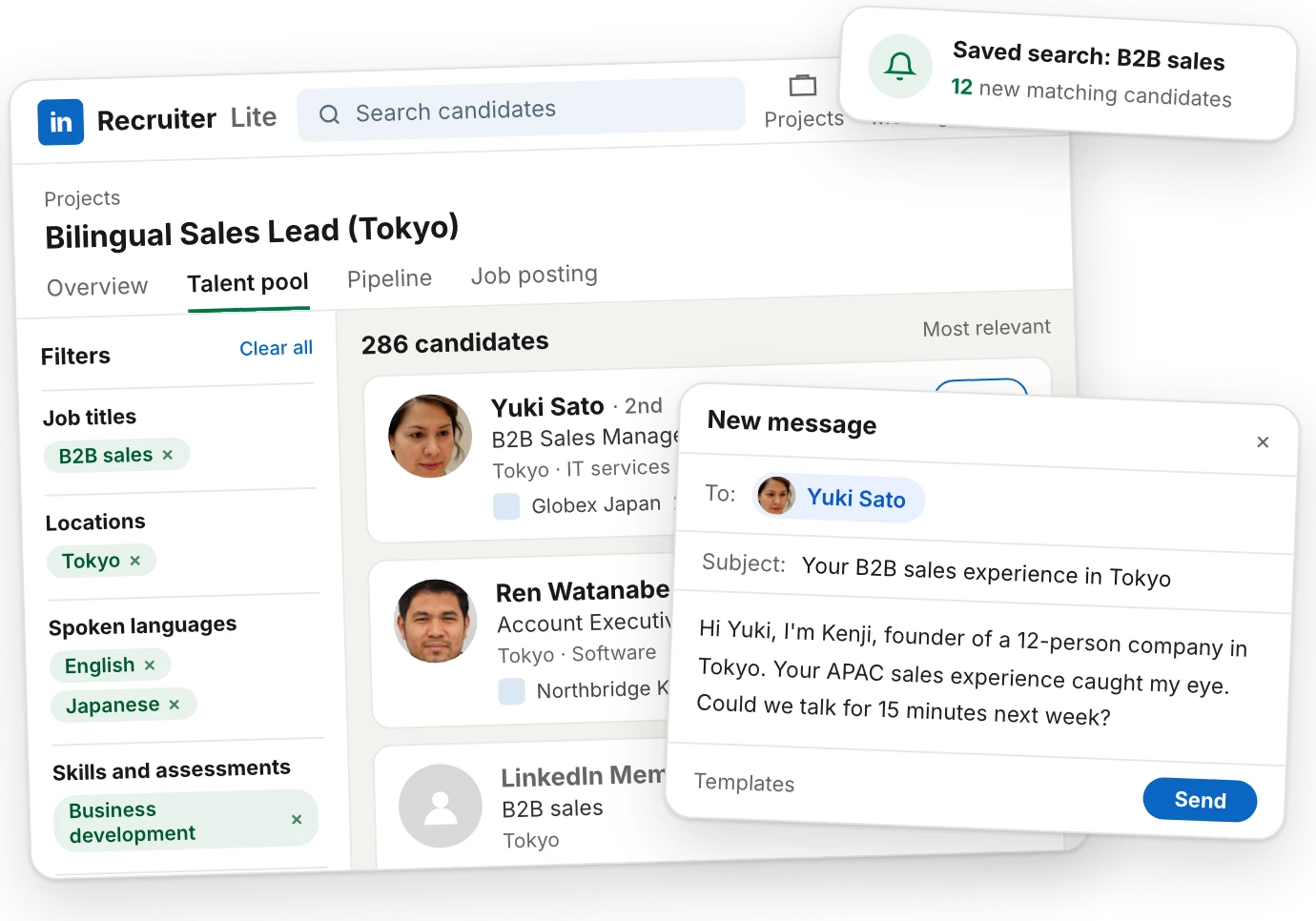
LinkedIn Recruiter is LinkedIn's paid hiring tool. It turns LinkedIn into a candidate database: you search its members by job title, location, language or skills, and send recruiting messages, called InMails, to people you're not connected with.
You're probably looking for a way to reach out to candidates directly. It might be because you're trying to lower your hiring costs by avoiding agents. Or you want to get involved directly to see quicker results. Since LinkedIn is the largest hiring platform globally, you want to understand how it works and how much it costs.
As a recruiter, I've used LinkedIn and LinkedIn Recruiter for over 14 years, and I've built a network of 30,000+ connections. I used it daily to engage with candidates, on behalf of my past employers such as Google and Persol Career. I now provide recruitment consulting services, and I get asked about LinkedIn a lot during the free consultation. So I gathered all useful information about LinkedIn from external sources, from my network and my own experience, and I wrote this guide for you, as part of the hiring playbook.
- Let's first look at the differences between the "regular" (public) LinkedIn and LinkedIn Recruiter.
- Then, we'll cover the key differences between the 2 types of Recruiter accounts: Recruiter Lite and Recruiter Corporate.
- I'll also tell you who you can reach and what the pros and cons are.
- We'll see how LinkedIn compares with other platforms and how it fits within your strategy.
- Finally, you'll get a step‑by‑step guide on how to get started on LinkedIn, and how to measure results.
How it works
How LinkedIn Recruiter works, and why companies use it
You might be wondering if LinkedIn Recruiter is necessary if you already have a free LinkedIn account. After all, you can connect and contact people there, so what's the difference? The difference is actually quite large between the two, and as a recruiter I wouldn't run a hiring practice with a free account.
LinkedIn Recruiter vs free LinkedIn
Let's first look at what a free LinkedIn account lets you do and what its limitations are. With regular LinkedIn, you can:
- Search for "People" with basic filters: connection degree, location, current/past company, school, industry and profile language.
- Send connection requests with an optional 200-character text.
- Message these connections once they've accepted your request.
Here's what searching for candidates from a free LinkedIn account looks like:
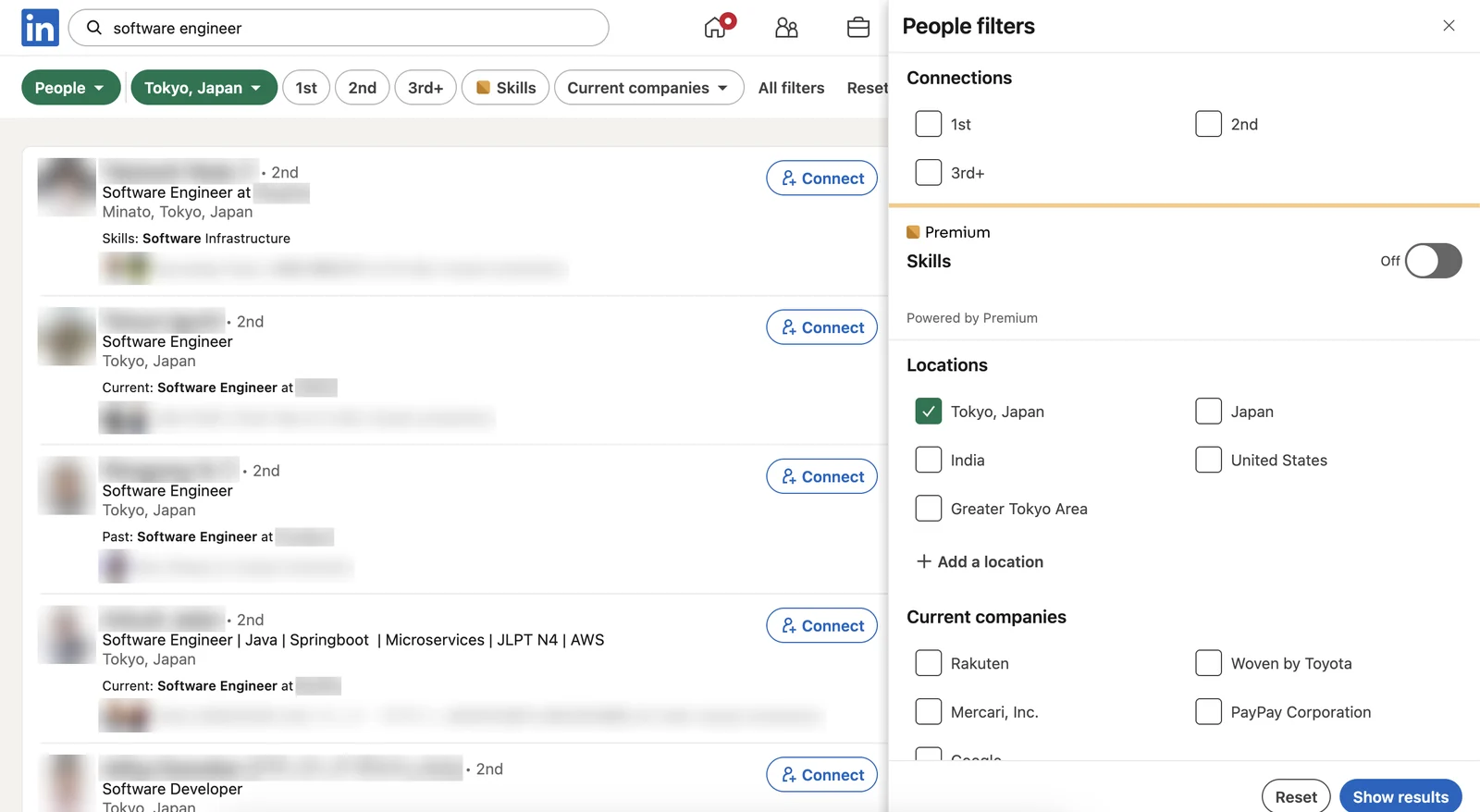
Free LinkedIn people search (screenshot, names blurred)
- Connection degree: 1st, 2nd and 3rd+
- Skills: a Premium filter, off on a free account
- Basic filters: location, company and more
- Connect: sends a connection request
This can work for recruiting in theory, however, there are 2 key limitations:
- Problem 1You can only send a limited number of connection requests. LinkedIn hasn't publicly confirmed a number, but the general understanding is 15 / day, on a rolling window. With a 28.5% connection acceptance rate, it means that you can only reach out to 4 candidates a day. Not only is it not enough for a proper direct sourcing campaign, but it also spreads your outreach over a long period of time.
- Problem 2On LinkedIn, you can only see and send requests up to your 3rd degree connections. Anyone else is "out of network", so you are missing out on most profiles. Again, that makes it impractical to run a proper search.
- YouYour profile
- 1st degreePeople you're connected with
- 2nd degreeTheir connections
- 3rd degreeConnections of your 2nd degree
- Out of networkEveryone else
Here's the bottom line on free LinkedIn: it's made for networking, so it doesn't give you the necessary reach or volume for recruiting. And this is of course intentional, since LinkedIn's main business is selling Recruiter licences.
Added features in LinkedIn Recruiter
Since LinkedIn Recruiter is made for hiring, it adds many useful functionalities. I'll start by covering the 2 main advantages (InMails and search filters), and we'll also talk about a nice added extra (projects).
LinkedIn InMails
- Reach: LinkedIn Recruiter's main benefit is the ability to send InMails. These are direct messages to candidates you are not connected with. This dramatically improves your talent pool.
- Volume: depending on the plan you choose (see next section), you'll be able to send up to 150 InMails per month and buy extra InMail credits.
- Refunded InMail credits: if someone responds to your InMail (by accepting or even declining it) within 90 days, that credit gets refunded. With an InMail response rate of 13%, some of the credits keep coming back.
Needless to say, these InMails can be combined with your free messages for maximal firepower.
Search filters
The other huge advantage is LinkedIn Recruiter's search filters. They allow for much more granularity with up to 40+ advanced search filters. Some filters recruiters like are:
- Skills: it lets you add technical and core skills. For example, a tech recruiter will filter by programming language or tech stack using it.
- Spoken languages, which lets you filter by ability.
- Years of experience, to determine seniority.
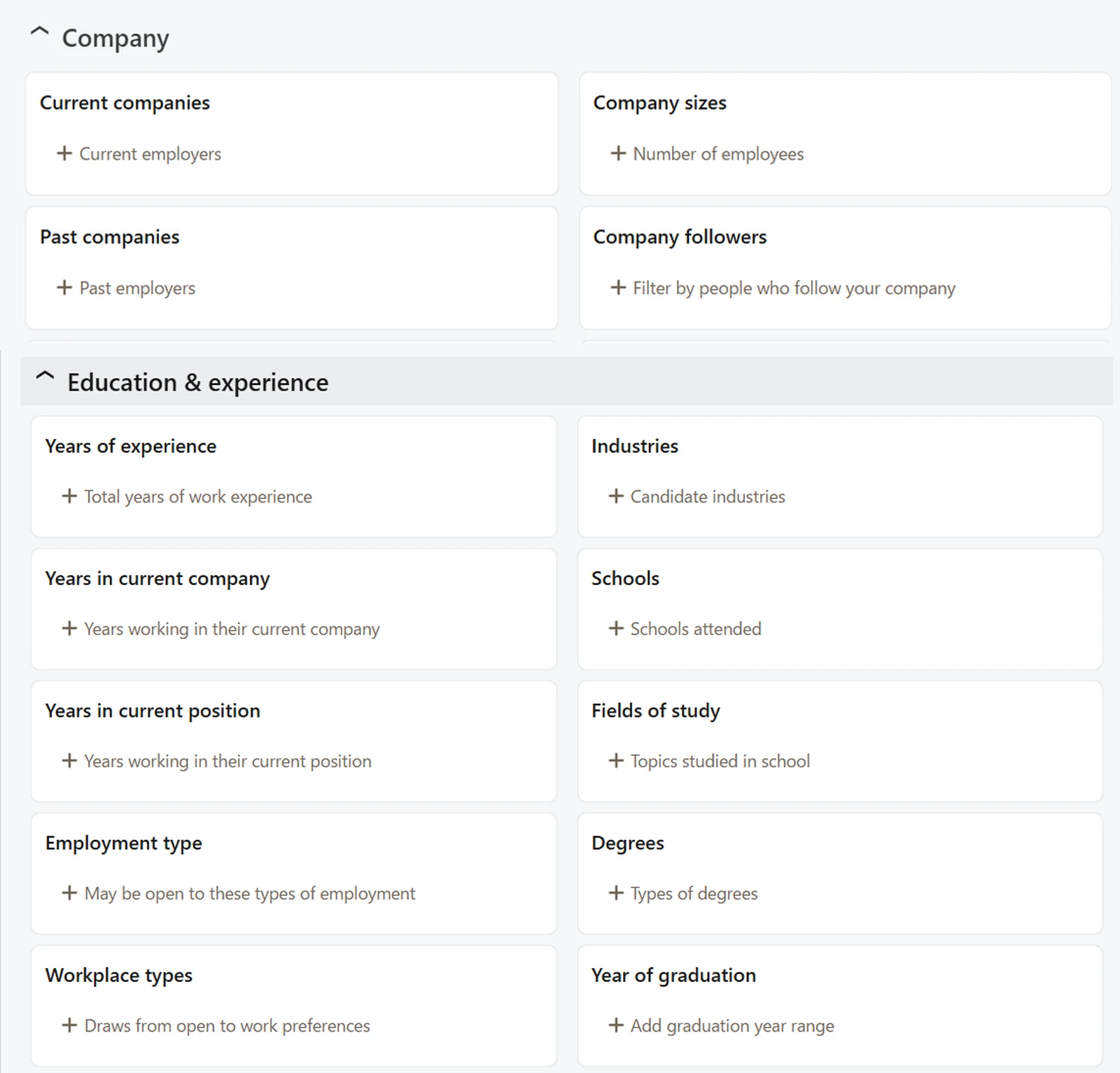
LinkedIn Recruiter search filters (screenshot)
- Companies: current and past employers
- Years of experience: to judge seniority
But there's more. On Recruiter Corporate, outside of the general results (based on your search filters), you can see 2 very interesting Spotlight lists:
- The “Open To Work” list, which only includes people who have declared they are looking for a new job. These candidates are more likely to interview with you, and their response rate is 75% higher than other candidates. This means your InMail credit is likely to come back!
- The “Active Talent” list. From LinkedIn's definition, these profiles “are more active on LinkedIn and more likely to respond to Recruiter outreach, based on their profile activity”. Basically, they are applying to jobs and/or responding to recruiters' InMails. Same conclusion: by starting with these you get a higher response rate and your InMail pool goes further.
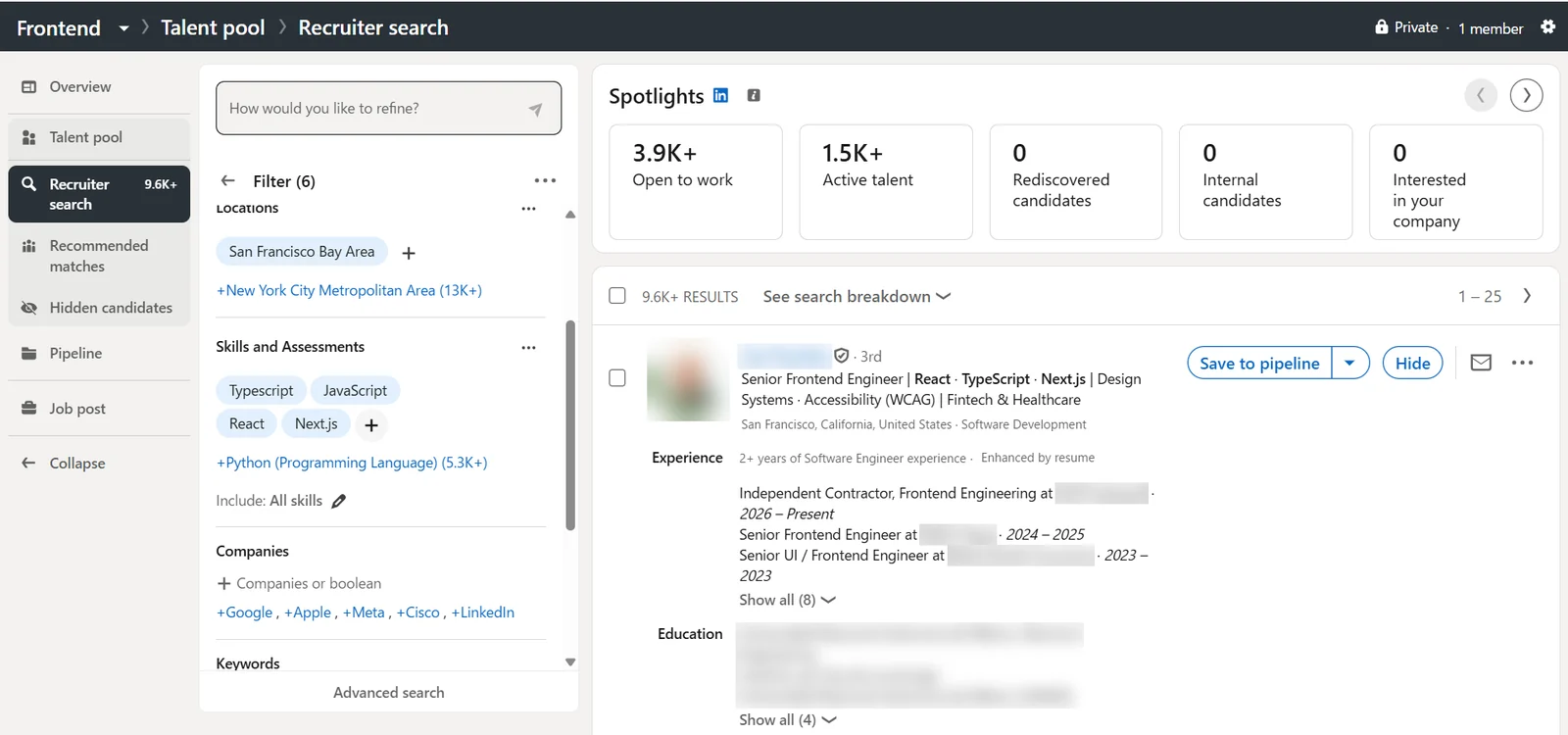
LinkedIn Recruiter search with spotlights (screenshot, names blurred)
- Open to work: people looking for a new job
- Active talent: people most likely to reply
- Search filters: skills, companies and more
- Save to pipeline: adds the candidate to a project
Projects
The last useful benefit of a LinkedIn Recruiter account is that it lets you create “Projects”, which are pipelines of candidates. This is a good way to keep track of whom you've already reached out to, and to share the list within a recruiting team.
LinkedIn Recruiter usage in Japan
Among large Japanese companies, 81% of the Nikkei 225 use LinkedIn, according to LinkedIn Japan (2026). There are two categories of users: recruitment agencies and corporates.
Staffing agencies use a dedicated specific licence called Recruiter Professional Services (RPS & RPS+), which we won't cover in this guide.
Corporates are companies which use LinkedIn Recruiter for their own hiring, or for RPO recruiters (Recruiting Process Outsourcing). There are 2 plans for these, which we will look at in the next section.
Plans
LinkedIn Recruiter plans: Recruiter Lite & Recruiter Corporate
Until now, I've referred to LinkedIn Recruiter as opposed to the free LinkedIn account. However, not all recruiting licences are created equal. There are actually 2 types of Recruiter licences: Recruiter Lite and Recruiter Corporate.
These all include the abovementioned functionalities (InMails, extended filters, projects), but to a different extent. Their prices, contract and billing method are also widely different.
Feature differences between Recruiter Lite and Recruiter Corporate
InMails
Largely, the biggest advantage you get with Recruiter Corporate is the 150 monthly InMails versus a mere 30 in Recruiter Lite. You can also buy more, where Lite is limited to 70 extra.
Also, the Bulk InMailing feature, which lets you send a templated InMail to up to 25 candidates at the same time, is only available in Corporate. This matters more for speed than for reach.
| InMails | Recruiter Lite | Recruiter Corporate |
|---|---|---|
| InMails a month | 30 | 150 |
| Extra InMails | Up to 70 a month | Can buy more |
| Bulk InMails | Not available | Up to 25 at once |
Search
For search, the biggest difference is that Recruiter Corporate lets you see and contact anyone on LinkedIn. It's the only Recruiter licence that lets you do that (even the RPS licence for staffing agencies is limited to 3rd-degree connections + “unlocks”). Recruiter Lite only allows you to contact 2nd and 3rd-degree connections, so its effectiveness highly depends on your personal network.
Recruiter Corporate also allows for twice as many filters, which lets you search more efficiently.
Here are a few useful filters you lose with Recruiter Lite:
- Years in current company / Years in current position
- Spoken languages
- Open to contract work
- Spotlights: “Open to work” and “Active talent” lists.
| Search | Recruiter Lite | Recruiter Corporate |
|---|---|---|
| Who you can contact | Up to 3rd‑degree connections | All members |
| Search filters | 20 | 40+ |
| Open to work filter | No | Yes |
Other functionalities
Other functionalities gained in Recruiter Corporate include the “Collaborator licences”, which are very useful when sharing pipelines with hiring managers for review. For an extra cost, you also get LinkedIn's AI Search assistant, which might save you some time, but in my opinion isn't thorough enough to be fully trusted.
| Feature | Recruiter Lite | Recruiter Corporate |
|---|---|---|
| Projects | Yes | Yes |
| ATS integration | No | Yes |
| Collaborator licences (project access) | Not available | Up to 20 people |
| Hiring Assistant (AI search) | Not available | At extra cost |
Sources: LinkedIn Help, plan comparison, Recruiter Lite FAQ, InMail credits (checked November 2026)
Pricing & billing differences between Recruiter Lite and Recruiter Corporate
There are 2 drastic differences between the two plans: price and billing/contract cycle.
Recruiter Lite is a self-serve / pay monthly subscription, which you can buy and cancel at any time. It's rather inexpensive and the price is public: in Japan, ¥16,000 a month for the first licence, and ¥26,000 for each licence from the 2nd to the 5th. Lite is capped at 5 licences.
Recruiter Corporate is widely different:
- You have to go through a LinkedIn Japan Sales Representative to negotiate and purchase a plan.
- Prices differ depending on your company and negotiation skills. A widely accepted range for a yearly contract is between ¥1,700,000 and ¥2,200,000 (about ¥142,000 to ¥183,000 / month).
- The standard contract is 1 year, and you generally pay upfront. Though again, specific terms are decided case by case.
LinkedIn Recruiter pricing
| Plan | Recruiter Lite | Recruiter Corporate |
|---|---|---|
| How you buy | Online, self-serve | Through a LinkedIn Japan sales rep |
| Price | ¥16,000a month (¥26,000 for licences 2 to 5) | ¥1.7M–2.2Ma year |
| Billing | Monthly | Yearly, usually upfront |
| Cancel | Any time | Case by case |
How Recruiter seats are “assigned”
There's one more consideration I want to highlight when it comes to choosing between the two. This is a particularity of LinkedIn, which you don't find in other recruiting platforms.
When purchasing a licence, you get a “seat” which you need to assign to a personal profile. Every profile that sends an InMail should be a person (as opposed to a company page). This is why the size of your personal network drastically impacts Recruiter Lite's efficiency (because you are limited to 2nd and 3rd-degree connections). Therefore, a well-connected recruiter using Lite will get a much better reach than a new hiring manager with a few connections. By the way, LinkedIn allows for 30,000 connections maximum.
Here are my thoughts on what these plans are best for:
- Getting Recruiter Corporate is a commitment, which in my opinion is absolutely worth it if you are going to make over 5-7 hires a year.
- For one-off hires or sporadic needs, Recruiter Lite may be enough.
You're probably starting to get the gist here: LinkedIn is a costly tool, and you need to figure out whether you are willing to invest in it. This plays a huge role in your hiring strategy if most of your talent pool is on LinkedIn. That's the case if you're hiring for bilingual talent, for example (see next section).
It is a key factor in your decision on whether to do direct hiring or RPO (you pay for the licence) or use recruitment agencies (they pay for it).
Audience
Who you can reach on LinkedIn: 5M+ members in Japan, under 1 in 10 workers
Now that you know how much a LinkedIn Recruiter seat can cost, you probably want to know who you can reach with your expensive InMails.
In Japan, LinkedIn has over 5 million members as of September 2026. That number is growing fast (it was only 3 million in August 2022). But Japan's active population represents 68.28 million people, so that's fewer than 1 in 10 of them.
LinkedIn members in Japan
Registered members, by year
- 2022: 3M
- 2024: 4M
- 2025: 5+M
- 2026: 5+MSince late 2025
Source: LinkedIn (press releases, member map). No figure published for 2023.
I've recruited in Japan, as well as in all Europe, Middle East and Africa. The difference is still quite clear: overseas, “everyone” is on LinkedIn, but it still isn't true in Japan.
For the general working population, LinkedIn is behind local platforms. In a 2025 survey, from 2,000 people who changed jobs through a recruiter, only 15.05% said they used LinkedIn. BizReach came first at 47.55%, then Recruit Direct Scout: 46.15%, doda Direct: 23.9%, all above LinkedIn.
Platforms used by people hired through recruiter messages
November 2025, 2,000 people who changed jobs after being contacted (multiple answers)
 BizReach
 Recruit Direct Scout
 doda Direct
 LinkedIn
 OpenWork
Source: Baigie, survey of job seekers contacted by recruiters (2025)
Where LinkedIn wins
There are, however, a few well-represented segments of the working population. If these correspond to your target candidate, LinkedIn is the best platform for you.
Global / English-speaking candidates
The first segment is so undisputed that the other platforms don't even try to compete. It's the so-called “global” candidate pool. These typically include:
- English-speaking Japanese candidates
- Japanese-speaking foreign candidates
- Candidates working at gaishikei (foreign-affiliated) companies
If you're hiring for positions that require English, LinkedIn is most likely where you'll find your next employee. When hiring in Japan, I've mostly focused on that segment and LinkedIn is all I needed!
Senior candidates
Executives also tend to be on LinkedIn, because it is best suited for personal branding, given its global reach and social media/posting features. They also tend to use the platform heavily for networking, which in my experience isn't well managed on other platforms.
So if you're hiring for leadership roles, you need LinkedIn.
Well-represented industries: Tech/IT, Consulting, Sales, Marketing
A few industries have a particularly high presence for candidates on LinkedIn.
- The platform has an extensive pool of Tech and IT talent, so if you're hiring for engineers it is a great scouting ground (though there are a few alternatives in Japan).
- Sales, Marketing and Consulting are also well-represented: Sales/Consulting people use it to find and network with clients anyway, and marketers understand and use its reach.
Pros and cons
LinkedIn Recruiter pros and cons: direct reach, but a smaller pool in Japan
LinkedIn Recruiter's biggest advantage is direct access to people who never apply to job ads.
LinkedIn is great for passive candidates
I haven't talked about this aspect before, but another key difference between LinkedIn and other platforms is that it is also a social media platform. What it means is that people registered on LinkedIn are not all job seekers, whereas on other scouting platforms they mostly are. I know that it sounds like a disadvantage, but I can tell you from my recruiting experience that it is a huge plus. The best candidates often aren't looking for a new job. They perform well and are often comfortable where they are. These are what we call “passive candidates”. Having access to these makes a huge difference once they are in your business. That's of course if you know how to approach them.
You need to be sure about your target candidate
As mentioned, LinkedIn's biggest drawback in Japan is the size of its talent pool. That talent pool is premium for a specific set of segments, so you first need to confirm that these fit your candidate personas.
Between features, plans and audience, we covered a lot of information, so let me give you a cheat sheet. It should give you some clarity on LinkedIn's pros and cons.
| Topic | Pros | Cons |
|---|---|---|
| Who you reach | Passive candidates: people who never apply to job ads | Just over 5 million members in Japan, fewer than 1 in 10 workers |
| Best fit | Global and senior candidates, and tech, sales, consulting and marketing talent | Behind local platforms for the general working population |
| Cost | No success fee: you pay for the plan only (some other platforms charge a success fee). | Quote only: depends on your negotiation skills. |
| Price | Recruiter Lite (¥16,000 a month) is the cheapest “starter” solution on the market. | Recruiter Corporate: ¥1.7M to ¥2.2M a year, usually paid upfront |
| InMails | Corporate: 150 a month, to any LinkedIn member | Lite: 30 a month, only to 2nd and 3rd‑degree connections |
| Your network | A well-connected recruiter reaches far more people on Lite | Lite's reach depends on your personal network |
Comparison
How LinkedIn Recruiter compares against other sourcing platforms in Japan
You're not making your choice in a vacuum, so I'm assuming you're also looking at other platforms. Here's a quick comparison on how LinkedIn fares against its main competitors, for price, reach and volume.
| Sort by | ||||
|---|---|---|---|---|
 dodaJob board, agency and scouts (Persol) | 10.99MJune 2026 | Not public | Not public | Not public |
 Rikunabi NEXTJob board (Recruit) | 10M+Unofficial estimate | Not public | Not public | Not public |
| LinkedIn Recruiter CorporateAll professions | 5M | ¥1,700,00012 months | 150¥944 per scout | None |
| LinkedIn Recruiter LiteAll professions | 5M | ¥16,0001 month | 30¥533 per scout | None |
 WantedlyMid-career, new grads | 4.57M | ¥1,680,00012 months | 25¥5,600 per scout | None |
| BizReachExecutives, high income | 3.53M | ¥850,0006 months | 67¥2,125 per scout | 15%of salary |
| OpenWorkMid-career, new grads | 1.83M | ¥1,200,00012 months | 833¥120 per scout | ¥300K–800K |
 GreenIT and web | 1.63M | ¥600,000One-off | 1,000Included | 20%of salary |
 YOUTRUSTMid-career | 500K | ¥2,400,00012 months | 20¥10,000 per scout | None |
 doda XExecutives | 400K | ¥1,050,0008 weeks | 217¥2,625 per scout | None |
 FindyIT engineers | 165K | ¥360,0006 months | 35–70 a weekLikes | 30–35%of salary |
 LAPRASIT engineers | 40K | ¥945,0006 months | Unlimited | None |
Source: SaiyouTeam research, platforms' published figures (November 2026). Green's success fee: 20% of annual pay for people who apply from 12 January 2027. Click a column to sort.
Strategy
How LinkedIn Recruiter fits in your hiring strategy
A hiring strategy can include several channels to attract candidates. Direct recruiting using scouting platforms like LinkedIn is one of them, but how does it work in combination with other channels such as job posting and agencies?
I can't give you a one-size-fits-all strategy here, because it depends on your specific case. I will however give you 3 examples of hiring strategies based on different scenarios.
-
Scenario 1
8 headcounts for English + Japanese‑speaking travel agents in Japan
Candidate personaForeigners working at international travel agencies.
Strategy
- LinkedIn
LinkedIn only. Japanese-speaking foreigners are usually only on LinkedIn.
Plan
Recruiter CorporateIt will be the cheapest and fastest way. We only have one pipeline (it's the same position for the 8 headcounts), and what we need is reach and volume.
-
Scenario 2
3 headcounts for English-speaking brand marketers at a gaishikei (foreign-affiliated) cosmetics company
Candidate personaEnglish-speaking Japanese talent, working at an international brand (L'Oréal, Chanel, etc.) or (rarely) a large Japanese brand like Shiseido or Kao.
Strategy
- LinkedIn
 Daijob
 CareerCross
- Recruiting agency
LinkedIn + job boards + recruiting agency.
Plan
Recruiter CorporateOr RPS via the agency. This is a highly competitive segment of the working population (only 5% of Japanese candidates speak English), with huge competition from other foreign-owned companies. These are expensive hires that require action on all fronts: internally with LinkedIn Recruiter, using job boards for English-speaking candidates (Daijob, CareerCross) and ideally recruiting agencies which specialize in the industry.
-
Scenario 3
3 headcounts for software engineers (English-speaking)
Candidate personaEnglish-speaking Japanese engineer or Japanese-speaking foreign candidate.
Strategy
- LinkedIn
 Japan Dev
 Tokyo Dev
LinkedIn + specialized job boards.
Plan
Recruiter CorporateLinkedIn is the best place to look for bilingual IT talent, but the industry has a talent shortage. I'd advise running a proper direct sourcing campaign and using specialist job boards.
Using the licence yourself or hiring someone to handle LinkedIn
As you probably understood, using LinkedIn is a job on its own. It's not a “set and forget” strategy, so your choice of using it yourself or getting support from an agency or an RPO also depends on your desired degree of involvement. You might have other priorities, or a heavy workload. If that's your case, I would recommend using external help, rather than waste money on an expensive licence that you won't use enough.
There are 2 patterns for external hiring help:
- A recruitment agency will charge a high fee (30–35%) and pay for their own licence.
- An RPO charges much less, but will have you pay for the licence they use on your behalf.
Getting started
Getting started with LinkedIn Recruiter
Decided which plan fits? Here's how to go from sign-up to your first InMails. You'll find 2 illustrated step-by-step guides below, one for each of the 2 licences: Recruiter Lite and Recruiter Corporate.
How to get started with Recruiter Lite
Update your profile and company page
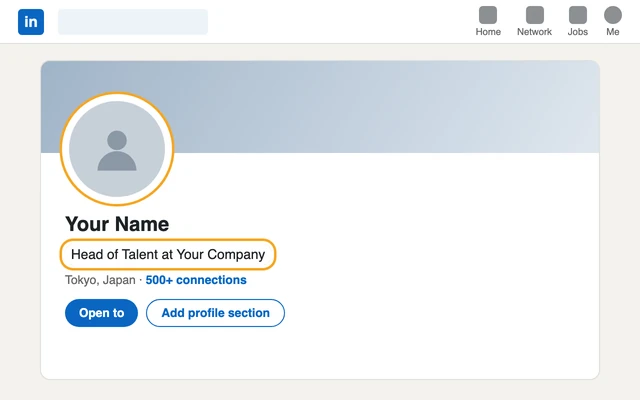
Your InMails go out from your personal profile, so candidates will look at it first. Add a photo and your current title, and make sure your company page says clearly what you do.
Start your free trial
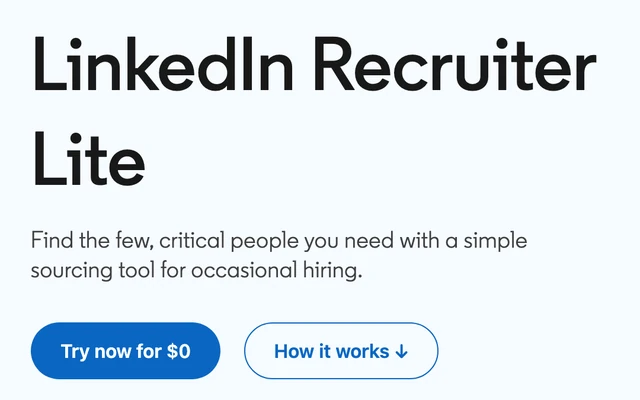
From your LinkedIn account, go to Me > Settings & Privacy > Account preferences > Upgrade for Free and sign up for Recruiter Lite. You may be eligible for a one-month free trial, which ends exactly one month after you start it, so put the date in your calendar.
Open Recruiter Lite
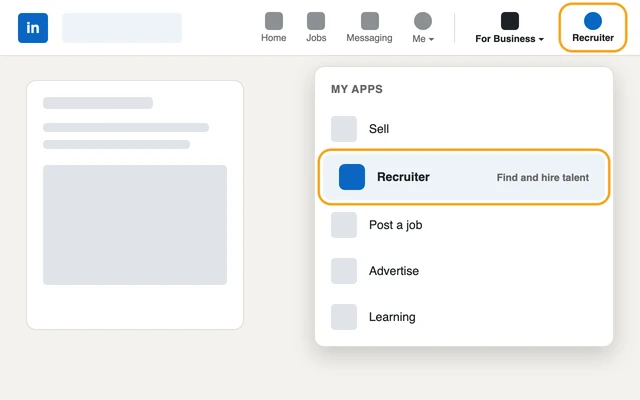
Click the Recruiter icon at the top right of your LinkedIn homepage. If you don't see it, click For Business, then Recruiter.
Create a project for the role
Create one project per role: it keeps your candidates, notes and messages in one place.
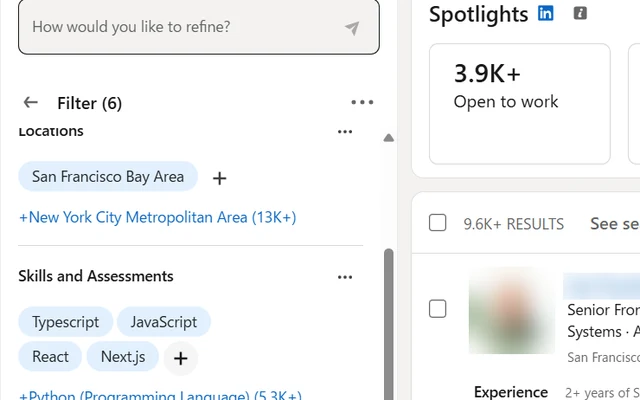
Search, then save your search
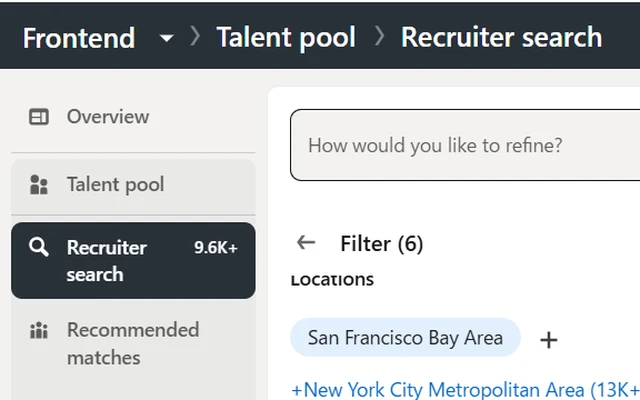
Start broad with job title, location and language. Save the search to get new matching members every 24 hours. Recruiter Lite lets you save up to 10 searches.
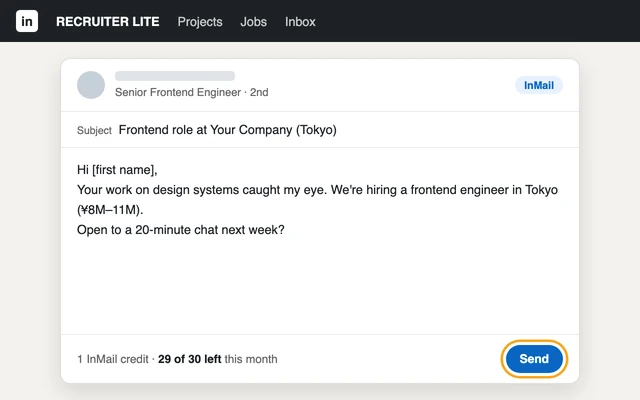
Send your first InMails
You have 30 InMail credits a month, and on Lite you can only message people in your network. See what a good response rate is before you start.
How to get started with Recruiter Corporate
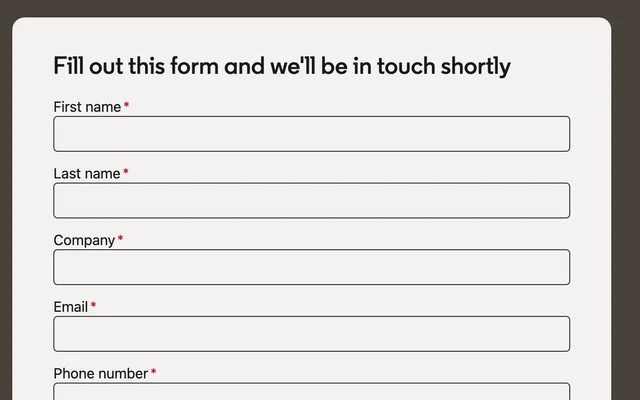
Contact LinkedIn's sales team
Fill in the Contact Sales form. A LinkedIn Japan sales rep will get back to you to discuss seats, price and contract.
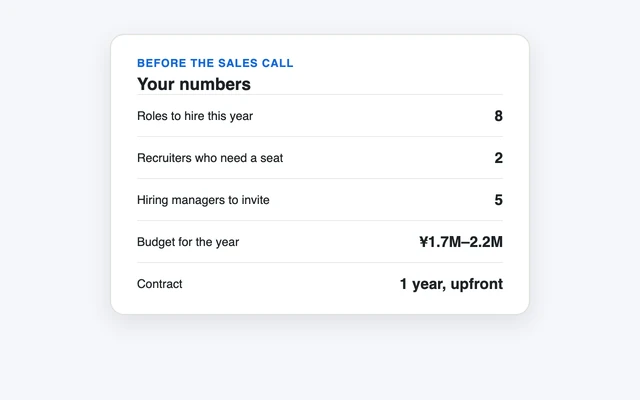
Prepare your numbers before you negotiate
Know how many roles you'll hire for this year and how many recruiters need a seat. The standard contract is 1 year, usually paid upfront.
Assign the seats
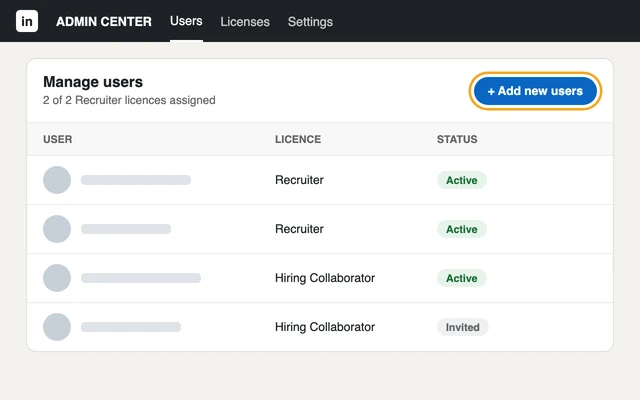
Each seat goes to a person's profile. Your admin adds users in the Admin Center.
Invite your hiring managers
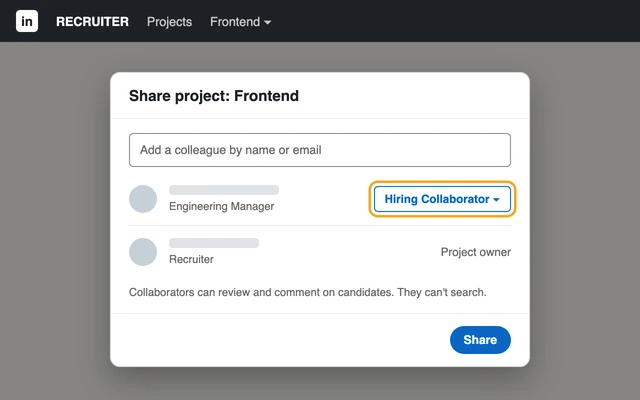
Give them a Hiring Collaborator licence: they can review candidates in your projects, but can't search.
Connect your ATS (optional)
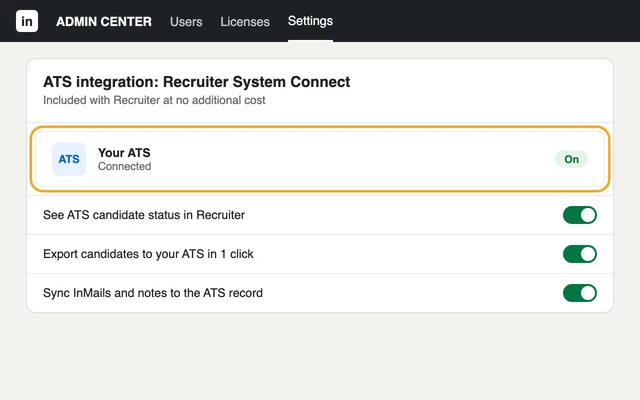
If you use applicant tracking software, Recruiter System Connect links it to Recruiter at no extra cost.
Create projects, search and send InMails
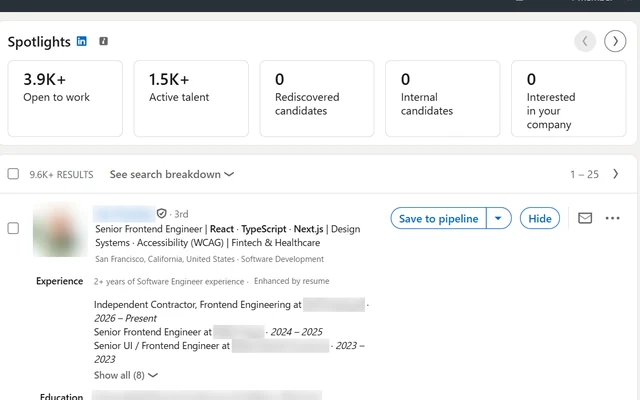
Same as Lite: one project per role, then a Recruiter search. With 150 InMails a month and every member reachable, you can run several roles at once.
Results
How to measure success with LinkedIn Recruiter, and improve
If you're new to LinkedIn Recruiter, you need to know when to expect results, and how these results are measured.
A timeline to hiring results with LinkedIn Recruiter
In my experience, most candidates reply to InMails within 2 weeks. Some will respond later, but I would start measuring results before.
Another key insight is that you should contact “Open to work” and “Active talent” first because they're the most likely to respond and you can get your InMail credits back quickly.
Lastly, as explained in my guide on how to build a hiring process, you should split your campaign into phases (sourcing, screening, interviewing, offers). LinkedIn is part of the sourcing phase, which ideally shouldn't last more than 3 weeks.
A hiring campaign with LinkedIn Recruiter
Sourcing takes 3 weeks at most, then the campaign moves on
- Week 1Send InMails, Open to work and Active talent first
- Week 2Most candidates have replied
- Week 3Close sourcing and move to screening
What a good response rate is
You also need to analyze your InMail performance. Sending attractive InMails that spark candidate interest is an art form of its own, and it's one of the value-adds that a recruiter brings. LinkedIn's average is 13%, but good InMails can fetch as high as a 30% response rate.
The best recruiters keep track of results yielded by each template so that they can improve their outcomes over time.
FAQ
Frequently asked questions about LinkedIn Recruiter
What is LinkedIn Recruiter?
LinkedIn Recruiter is LinkedIn's paid hiring tool. It lets you search LinkedIn's members with advanced filters and send InMails, direct messages to candidates you're not connected with. It comes in two licences: Recruiter Lite and Recruiter Corporate.
What's the difference between LinkedIn Recruiter and a free LinkedIn account?
A free account is made for networking, not recruiting. You can search “People” with basic filters and send connection requests, but the general understanding is about 15 a day, and only up to your 3rd-degree connections. With a 28.5% acceptance rate, that's about 4 candidates a day. Recruiter adds InMails, advanced search filters and projects.
What's the difference between Recruiter Lite and Recruiter Corporate?
The biggest difference is volume and reach: Recruiter Corporate gives you 150 InMails a month to any LinkedIn member, Recruiter Lite 30 a month, only to your 2nd and 3rd-degree connections. Corporate also has twice as many search filters (40+ vs 20), the Open to work and Active talent spotlights, bulk InMails, ATS integration and collaborator licences. Lite is a monthly plan you can cancel any time; Corporate is usually a yearly contract paid upfront.
How much does LinkedIn Recruiter cost in Japan?
Recruiter Lite costs ¥16,000 a month for the first licence, and ¥26,000 for each licence from the 2nd to the 5th (5 licences maximum). Recruiter Corporate has no public price: you negotiate it with a LinkedIn Japan sales rep. A widely accepted range is ¥1.7M to ¥2.2M a year, usually paid upfront.
Is there a free trial of LinkedIn Recruiter?
Recruiter Lite offers a one-month free trial if you're eligible. It ends exactly one month after you start it and requires a credit card, so put the end date in your calendar. Recruiter Corporate is bought through LinkedIn's sales team.
What is an InMail?
An InMail is a LinkedIn message you can send to someone you're not connected with. Each one uses a credit. If the candidate responds within 90 days, by accepting or even declining, the credit is refunded.
How many InMails can I send per month?
Recruiter Lite gives you 30 InMails a month, Recruiter Corporate 150. On Lite you can buy up to 70 extra a month; on Corporate you can buy more. Only Corporate lets you send a templated InMail to up to 25 candidates at once.
How do I message someone on LinkedIn I'm not connected with?
With a free account, you first send a connection request, and can message the person once they accept. To message someone directly without connecting, you need InMails, which come with Recruiter Lite (30 a month) and Recruiter Corporate (150 a month).
What is a good InMail response rate?
LinkedIn's average is 13%, and good InMails can reach a 30% response rate. Contacting “Open to work” and “Active talent” candidates first raises your rate, and keeping track of each template's results helps you improve over time.
How long does it take to get results with LinkedIn Recruiter?
Most candidates reply to InMails within 2 weeks, and the sourcing phase shouldn't last more than 3 weeks. Start with “Open to work” and “Active talent” candidates: they're the most likely to reply, so your InMail credits come back faster.
How many people use LinkedIn in Japan?
LinkedIn has over 5 million members in Japan (September 2026), up from 3 million in August 2022. That's fewer than 1 in 10 of Japan's 68.28 million workers. In a 2025 survey of 2,000 people who changed jobs through a recruiter, only 15.05% had used LinkedIn, behind BizReach (47.55%), Recruit Direct Scout (46.15%) and doda Direct (23.9%).
Who is LinkedIn Recruiter best for in Japan?
LinkedIn wins for global and English-speaking candidates, senior candidates and executives, and a few industries: tech and IT, sales, marketing and consulting. For the general working population, local platforms reach more people.
Is LinkedIn Recruiter worth it?
It depends on who you hire and how many. If your target candidates are on LinkedIn, it's often the best channel. Recruiter Corporate is worth it if you make over 5–7 hires a year; for one-off hires or sporadic needs, Recruiter Lite may be enough. If you won't use the licence enough, external help costs less than a seat you don't use.
Can I hire through an agency or an RPO instead?
Yes, and it makes sense if you don't have time to run LinkedIn yourself: it's a job on its own. A recruitment agency charges a high fee (30–35%) and pays for its own licence (Recruiter Professional Services). An RPO charges much less, but you pay for the licence they use on your behalf.
Does LinkedIn Recruiter have AI features?
Recruiter Corporate offers Hiring Assistant (AI search) at an extra cost; Recruiter Lite doesn't include it. It can save you time, but in my opinion it isn't thorough enough to be fully trusted.
How does LinkedIn Recruiter compare with BizReach, Wantedly and other platforms?
Recruiter Lite is the cheapest way to start (¥16,000 for 1 month), while other sourcing platforms ask ¥360,000 to ¥2.4M for 6 to 12 months. LinkedIn charges no success fee, unlike Findy (30–35% of salary) or BizReach (15%). Its 5 million members are fewer than doda (10.99M) or Rikunabi NEXT (10M+), but more than any other scouting platform in our comparison.
What is a Recruiter seat?
A seat is a Recruiter licence assigned to one person's LinkedIn profile. InMails always go out from a personal profile, never a company page, so on Recruiter Lite your reach depends on that person's network. LinkedIn allows up to 30,000 connections.
Can I search candidates by age or gender?
No. LinkedIn has no age, gender or nationality filters.
DIY Hiring Kit
Everything You Need To Hire On Your Own
A downloadable hiring framework for small businesses in Japan, with step-by-step guides, spreadsheet ATS, LinkedIn scouting system, interview questions bank, offer letter and employment contracts, and a ton more!
1Dashboard11Checklists8Spreadsheets30Template docs4Weeks of Q&ABilingual
- Download every file as Word, Google Docs, Excel or Google Sheets


 14 years in talent acquisition
Related
Related guides and tools
 Hiring practices
What is direct recruiting? Scouting vs agencies
The other sourcing platforms, and how to compare their costs.
 Hiring practices
What is a casual interview?
The first conversation with candidates who reply to your InMails.
 Guide
How to design a hiring process for SMBs
From sourcing and outreach to interviews.
 Guide
What is YOUTRUST? Pricing and reviews
Search and scout your employees' friends of friends.
 Tool
Cost per hire: averages and calculator
Compare the cost of one hire across channels.
 Guide
What is Wantedly? Pricing, plans and how to hire with it
The platform for younger engineers and designers in Japan.
Official sources
The main sources for this guide. Other references are linked where they are used in the text.
- LinkedInwww.linkedin.com Differences between Recruiter, RPS+, RPS and Recruiter Lite InMails, who you can contact and search filters, plan by plan.
- LinkedInwww.linkedin.com InMail credits and renewal A credit comes back when the InMail gets a response within 90 days.
- LinkedInwww.linkedin.com Spotlights in Recruiter What the Open to work and Active talent lists contain.
- LinkedInnews.linkedin.com About us (member map) LinkedIn members worldwide and in Japan.
- Baigiebaigie.me Survey of job seekers contacted by recruiters (2025) Platforms used by 2,000 people who changed jobs.
- Statistics Bureau of Japanwww.stat.go.jp Labour Force Survey, 2025 average People in work in Japan: 68.28 million.